 ADHD ToDo · Free to download
A task manager built for how your brain works
ADHD ToDo is built around one simple idea: your brain needs clarity before it needs discipline. Capture everything in one place, then choose what matters today so you can start in minutes, avoid overwhelm, and finish more of what you begin. The goal is not a prettier list. The goal is more completed tasks and fewer days lost to reset loops.
The system
Two lists that work together
Most to-do apps force everything into one endless list. ADHD ToDo separates planning from execution: one space for total capture, one space for daily focus. That separation reduces decision fatigue, lowers startup friction, and helps you convert intention into action on the same day.
Your brain dump
Capture tasks as they come up without deciding everything in the moment. Priorities keep your list organized, collapsible sections reduce noise, and subtasks turn big projects into small next actions.


Your daily focus
Start each day by selecting what you will actually do. Incomplete tasks roll forward automatically, overdue items stay visible, and progress is easy to see so you keep momentum instead of restarting from scratch.
Why it works
Built to increase follow-through
ADHD ToDo is structured around the same sequence taught in the app tutorial: capture tasks, choose daily focus, organize by priority, break work into steps, and use reminders to stay on track. This reduces cognitive load because you are not solving every problem at once. In practice, that means less time deciding, faster starts, fewer abandoned tasks, and more consistent completion across the week.
Start faster
The app moves planning decisions earlier, so when it is time to work you already have a clear next step instead of a blank start. You spend less energy getting started and more energy finishing.
Stay on the right task
Separating All Tasks from Today narrows your active field of view. You keep your full brain dump, but only interact with a manageable set of current tasks. That lowers context switching and protects deep focus.
Finish more consistently
Progress bars, priority sections, rollovers, and completion cues make effort visible. That feedback helps sustain follow-through, especially on longer or multi-step work.
Impact
What changes when you use this system
Instead of relying on motivation, you rely on structure. The result is a calmer workflow with clearer next actions and measurable daily progress.
Less overwhelm
You stop carrying every task in working memory because capture and prioritization are externalized.
More daily completion
Today planning limits active scope, so more of your effort goes into done tasks rather than reshuffling lists.
Faster recovery after disruption
If you miss a day or lose focus, rollovers, reminders, and clear priorities help you restart without rebuilding your system.
Tutorial flow
The same step-by-step path used in the app
The onboarding inside ADHD ToDo teaches this practical sequence. Following it daily creates consistency, reduces overwhelm, and makes completion more likely even on low-focus days.
1. Add tasks to All Tasks
Use All Tasks as a trusted capture space for everything on your mind. Assign a priority and optional due date as you add items so tasks stop bouncing around in your head.
2. Plan your day in Today
Each morning, choose tasks or subtasks for today. This turns a long list into a focused plan you can actually execute and finish.
3. Let priorities guide attention
High, Medium, and Low sections make urgency visible at a glance, while collapsible groups reduce clutter when attention is limited. You spend less time deciding what to do next.
4. Track subtask progress
Breaking work into smaller steps lowers activation energy. Progress indicators help you keep momentum through complex tasks instead of abandoning them halfway.
5. Use due dates and reminders
Due dates auto-surface tasks in Today, and gentle reminders help you return to the plan without relying on memory alone or stress.
6. Keep systems stable
Widget visibility, iCloud sync, and undo/redo make your routine resilient, so one missed moment does not derail the whole system for the rest of the week.
Features
Features with clear daily impact
Priority sections
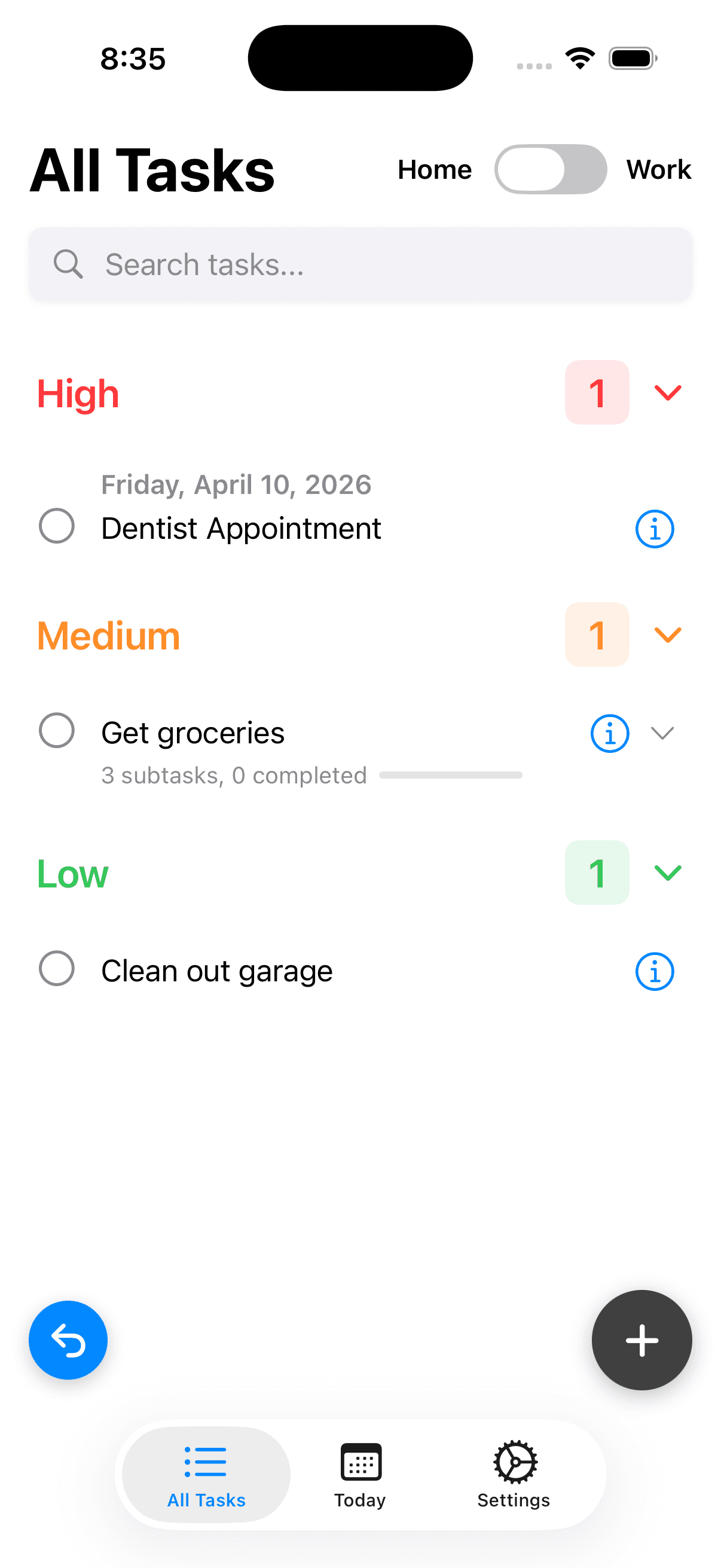
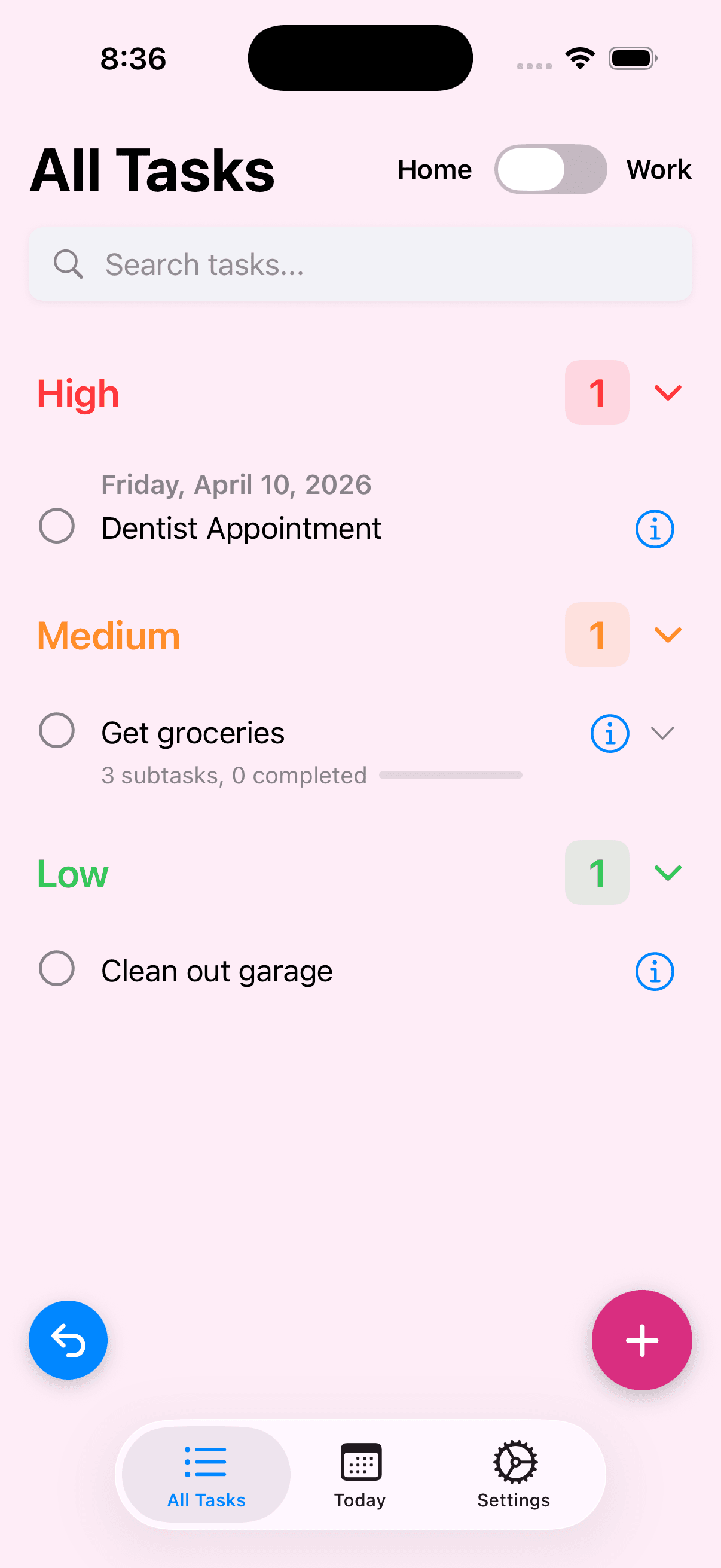
Tasks group into High, Medium, and Low sections. Collapse the ones you're not working on to stay focused, so attention stays on what matters now.
Subtask breakdown
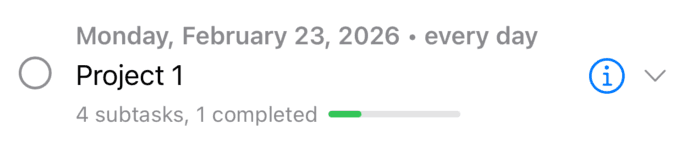
Break any task into smaller steps. A green progress bar shows completion so you can see momentum building and keep moving.
Due dates that show up
Set a due date and the task appears in Today automatically. Repeating tasks advance to the next occurrence when completed, so important routines do not get dropped.
Daily reminder
A gentle notification at the time you choose reminds you to plan your day. One nudge — no nagging, and fewer missed planning days.
iCloud sync
Opt-in sync keeps tasks up to date across all your Apple devices. Works offline and syncs when you reconnect, so your system stays trustworthy everywhere.
Undo & redo
Made a mistake? The last 10 actions are always undoable. No second-guessing required, and no fear of breaking your setup.
Priority views
Real High, Medium, and Low sections
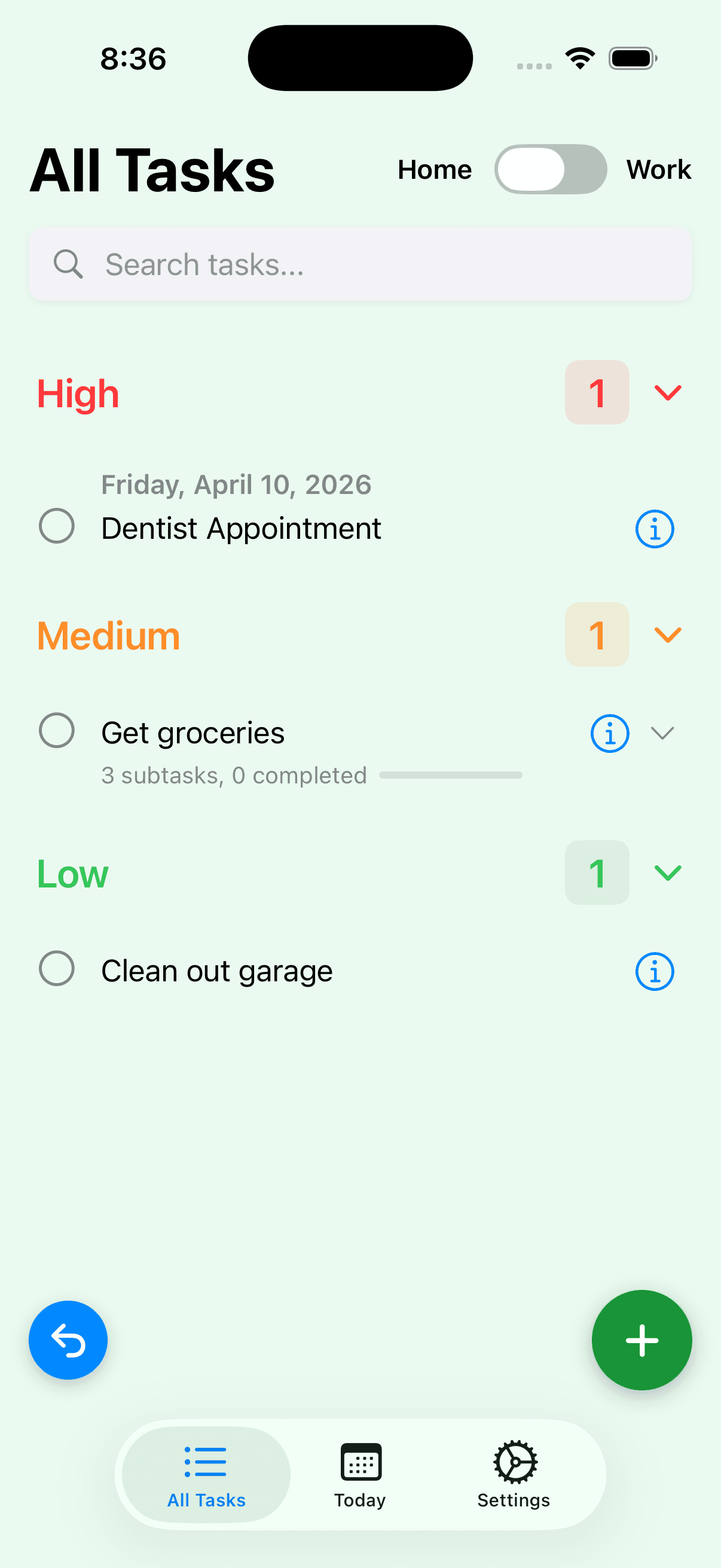
These are actual app screens showing color-coded priority groups and counts in context. This structure makes next actions obvious, which reduces hesitation and helps you act sooner.
Pricing
Free to download. No subscription.
Everything you need is free. Upgrade once if you want background themes or Home & Work context splitting.
Core app
All Tasks, Today, subtasks, priorities, due dates, recurrence, daily reminder, widget, iCloud sync.
Backgrounds
12 color themes for your task lists.
ADHD ToDo Pro
Home & Work contexts, automatic time-based switching, and all background themes.
Want practical ADHD productivity tips?
We write about ADHD strategies, building task systems that stick, and getting more done without burning out.
Read the blog